









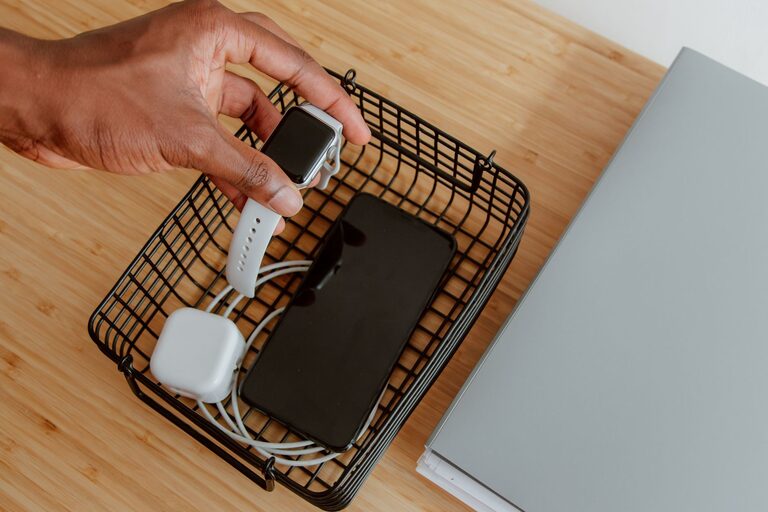
Setting up a dedicated charging station for your devices is a smart way to keep your gadgets organized, reduce clutter, and ensure everything stays powered up when you need it. Whether you have smartphones, tablets, wireless earbuds, or smartwatches, having a central spot for charging helps streamline your daily routine. This guide will walk you through how to create an efficient and user-friendly charging station.
Why Create a Charging Station?
Many people find themselves searching for chargers or untangling cables every day. A charging station brings several benefits:
– Organization: Keeps all devices and chargers in one place.
– Convenience: Easy access to power outlets and cables.
– Safety: Reduces the risk of tripping over cords or damaging devices.
– Aesthetics: Minimizes clutter for a cleaner, more attractive space.
Now, let’s explore the best ways to set up your own charging station.
Choosing the Right Location
Location matters because it affects accessibility and safety. Here’s what to consider:
– Central spot: Pick a place you often visit, like near your desk, living room, or kitchen counter.
– Power access: Ensure easy access to electrical outlets or USB power sources.
– Ventilation: Devices can get warm while charging, so choose a spot with good airflow.
– Surface: Use a stable, flat surface such as a small table, shelf, or organizer stand.
Avoid setting up near water sources or in direct sunlight to protect your devices.
Selecting the Charging Equipment
To build a versatile charging station, you’ll need the right tools. Here’s what to consider:
Multi-Port USB Chargers
Multi-port USB chargers are ideal for charging several devices simultaneously from one power outlet. Look for:
– Sufficient number of ports (4 or more depending on your needs).
– Compatibility with different devices (USB-C, USB-A).
– Fast charging capabilities, if your devices support it.
– Safety features such as surge protection and temperature control.
Charging Dock or Organizer
A charging dock or organizer helps keep devices upright and cables neat. Options include:
– Wooden or plastic stands with slots for phones and tablets.
– Docking stations that hold devices while charging.
– Drawer organizers with built-in charging features.
Cables and Adapters
Keep a variety of cables on hand:
– USB-C, Lightning, and Micro USB cables depending on your devices.
– Extra adapters for international compatibility if needed.
– Consider shorter cables to reduce clutter.
Setting Up Your Charging Station Step by Step
1. Gather Your Devices and Cables
Start by collecting all the devices you frequently charge and their corresponding cables. This helps determine how many ports and what cable types you’ll need.
2. Establish Your Power Source
Plug the multi-port charger into the wall outlet or power strip. Make sure the power source is reliable and easily accessible.
3. Arrange Your Organizer or Dock
Position your stand or organizer on the chosen surface. If using a DIY setup, you can repurpose a small tray or box to hold cables and devices.
4. Connect Cables and Devices
Plug in the cables to the charging ports and place devices in their slots or designated spots. Label cables if necessary to avoid confusion.
5. Manage Cable Clutter
Use cable ties, clips, or sleeves to bundle excess cable length neatly. Keeping cables organized prevents tangling and makes it easier to swap devices.
6. Test Everything
Charge all devices at once to ensure the station functions properly. Check that no devices overheat and all are charging efficiently.
Tips for Maintaining Your Charging Station
– Regular cleaning: Dust cables and chargers to avoid buildup.
– Update cables: Replace worn or frayed cables promptly.
– Power off as needed: Unplug the charging station when not in use for extended periods.
– Keep it minimal: Only keep necessary chargers and cables to avoid overwhelming the space.
Creative Ideas for Your Charging Station
– Wall-mounted station: Save desk space by installing a wall organizer with built-in charging ports.
– Portable station: Use a charging case or bag to carry chargers and cables when traveling.
– Integrated furniture: Look for desks or nightstands with built-in USB ports and cable management.
Final Thoughts
A well-planned charging station can save time, reduce clutter, and keep your devices ready whenever you need them. By choosing the right location, equipment, and organizing methods, you create a space that’s both practical and pleasing to use daily. Start small and customize your station to fit your unique needs and devices.
Happy charging!